eeina – com.eeina.app
Developer: RASHA MOOSA A ALNAFEESI
Delete Your eeina Account
If you wish to permanently delete your eeina account (com.eeina.app) and remove all associated data, follow these steps on app.eeina.com.
Warning: This action is permanent and cannot be undone. Your account and all associated data will be permanently deleted and cannot be recovered.
- 1. Open the eeina mobile app and log in.
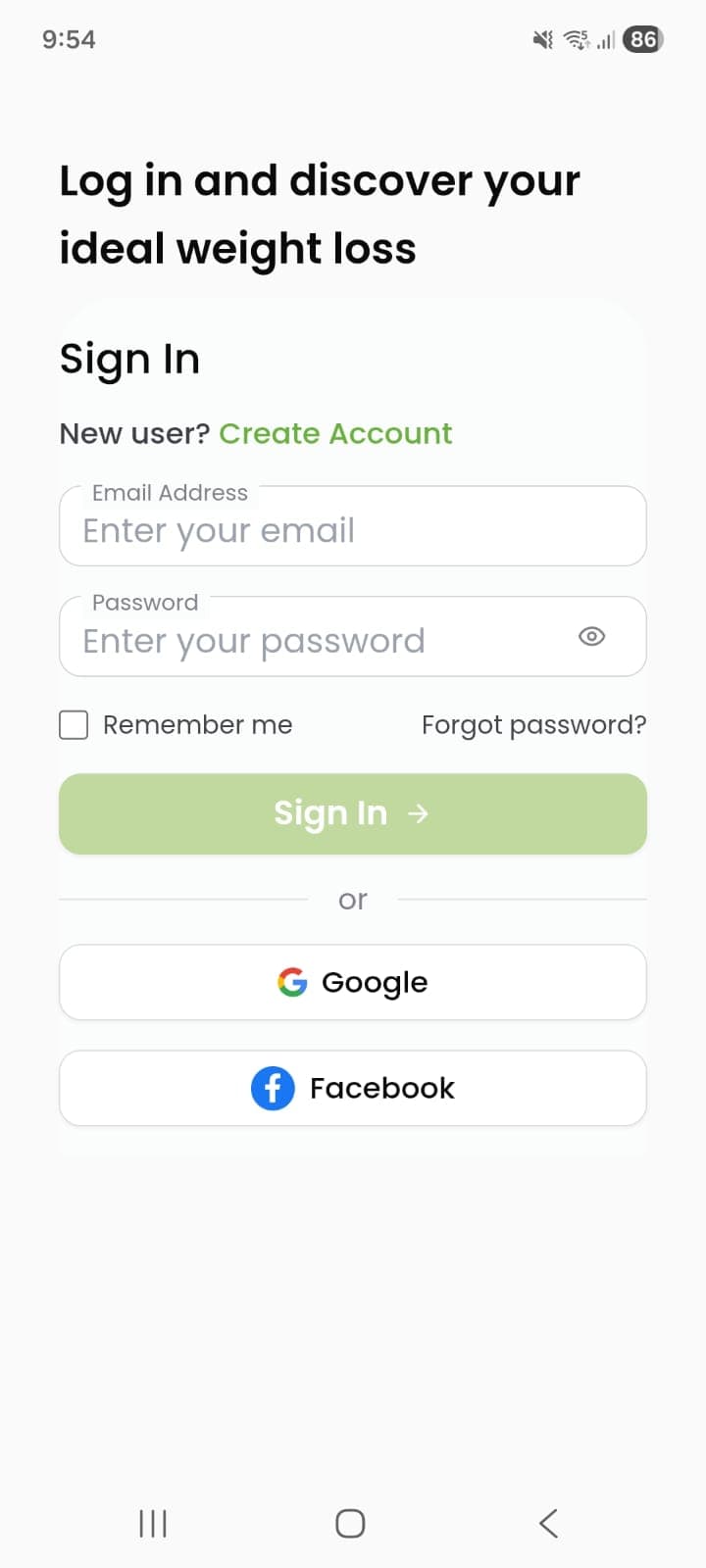
- 2. After logging in, tap the 'Profile' icon at the top of the home page.

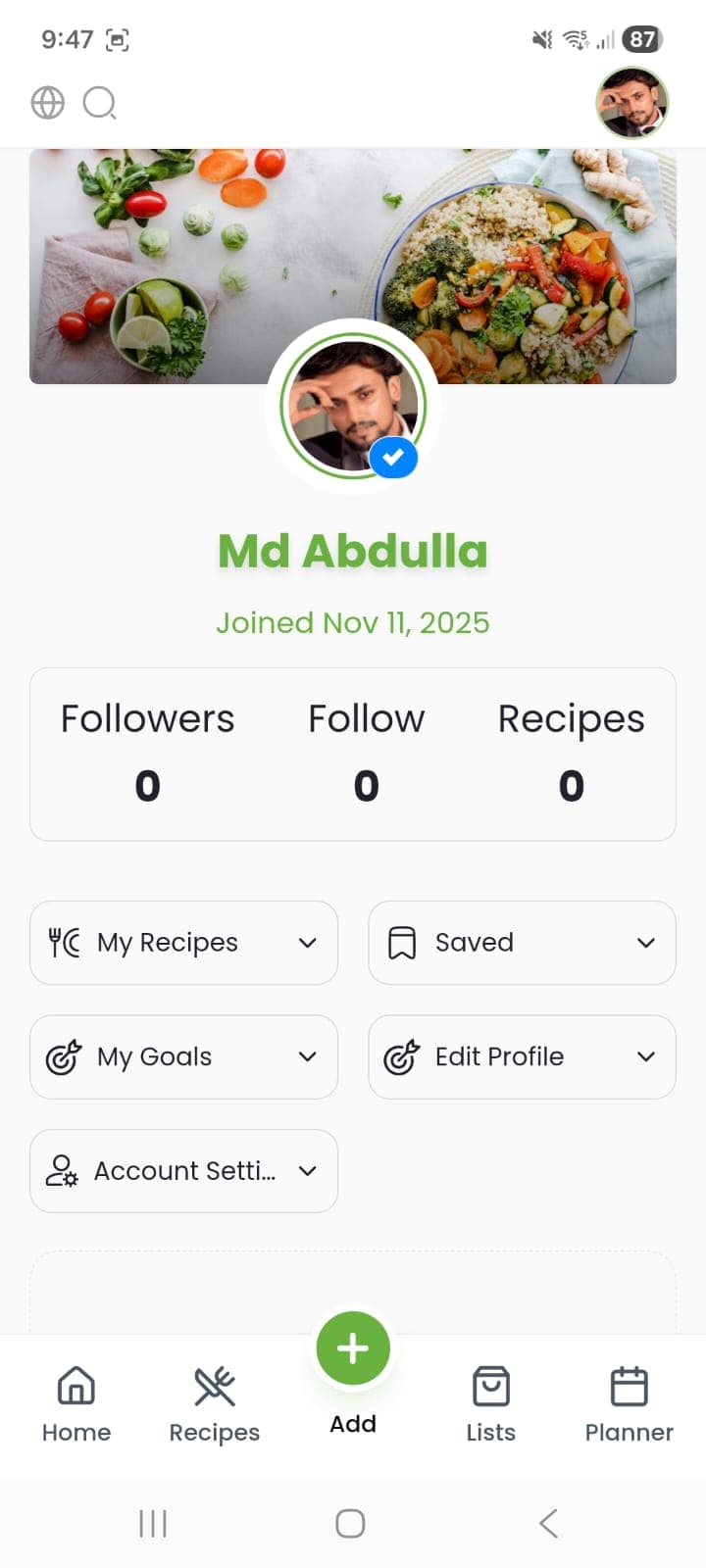
- 3. In your Profile, tap the 'Account Settings' button.
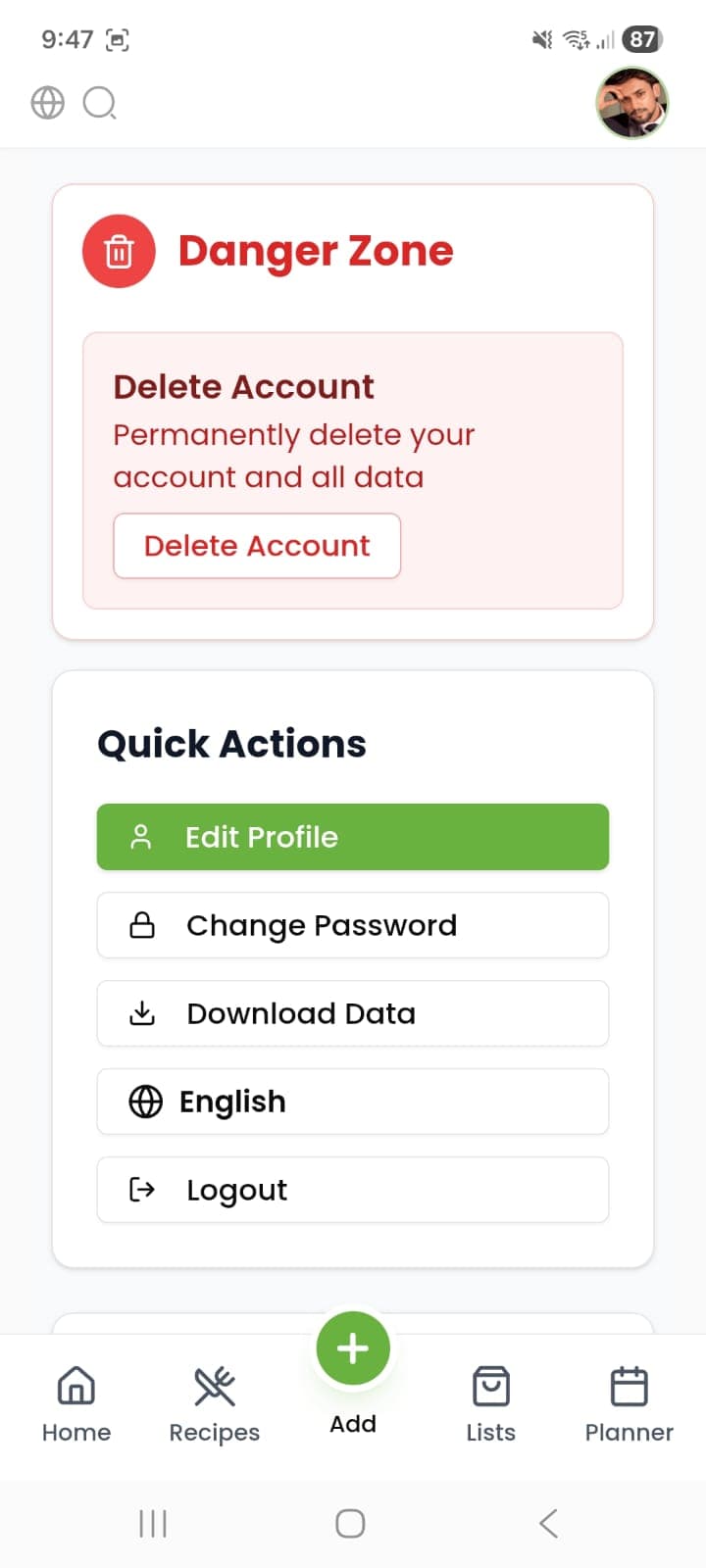
- 4. Scroll to the Danger Zone section and tap 'Delete Account'.
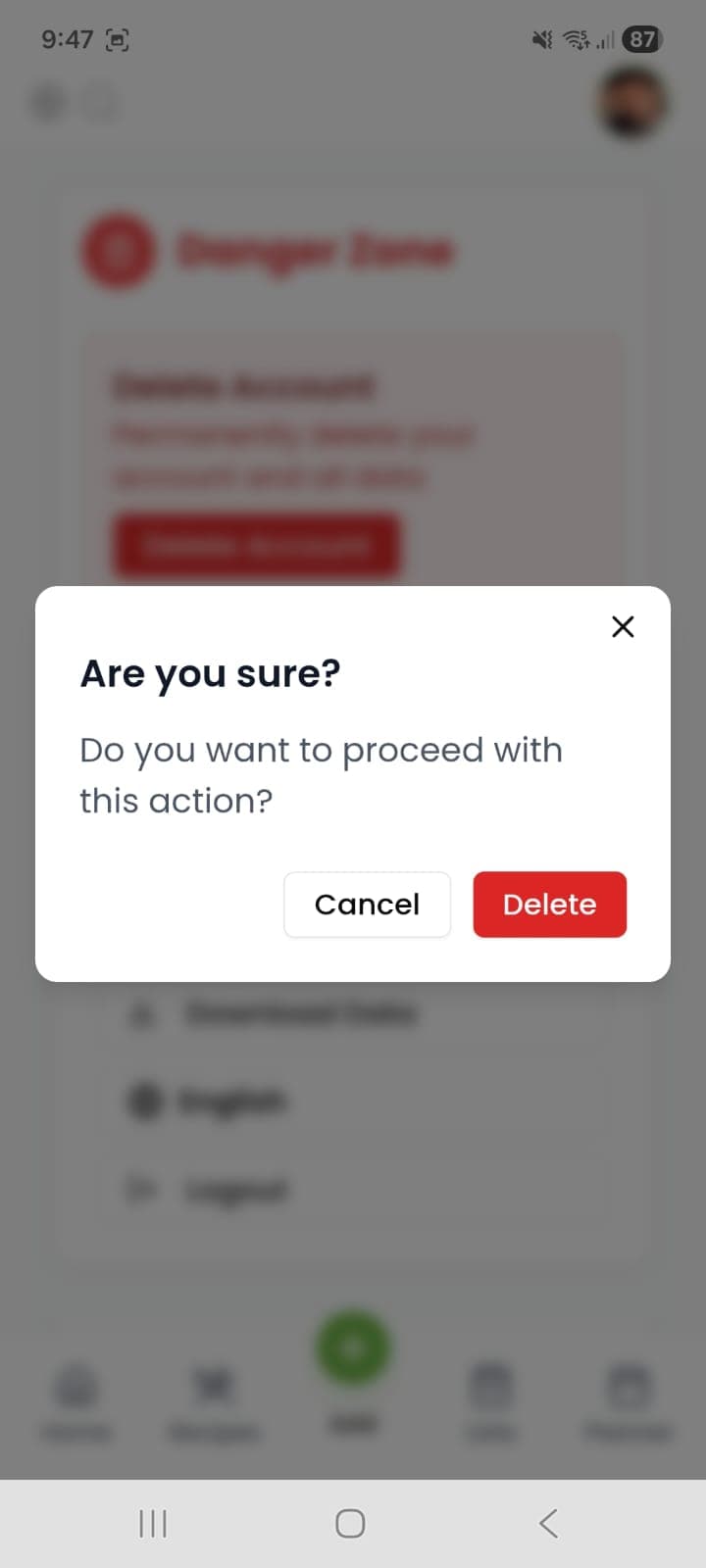
- 5. In the confirmation popup asking 'Are you sure?', tap to confirm deleting the account.
📊 What Data Gets Deleted?
When you delete your account, the following data is permanently removed: Your profile information, saved recipes, custom meal plans, grocery lists, and interaction history.
🛡️ Data Retention
While we delete most data immediately, we may retain certain information (like transaction records) for legitimate reasons such as security, fraud prevention, or regulatory compliance as outlined in our Privacy Policy.
✉️ Can't Access Your Account?
If you are unable to log in to the app or website to initiate deletion, you can request account deletion by emailing us at [email protected] using your registered email address.
⏳ Processing Time
Account deletion requests are typically processed within 48-72 hours. You will receive a confirmation email once the process is complete.